

Ever get a check and wish the money was in your account like, yesterday? M&T Bank has something called Flash Funds that might help. It’s part of their mobile deposit feature, and it basically lets you get your hands on deposited money faster. But like most things that sound too good to be true, there’s usually a catch. Let’s break down what M&T Flash Funds is all about, how it works, and if it’s worth using.

Key Takeaways
- M&T Flash Funds allows eligible mobile check deposits to be available for use right away, for a fee.
- This service is designed to help customers avoid waiting for deposited funds to clear before making withdrawals or purchases.
- A fee of 2% of the check amount, with a minimum of $2, applies when you choose to use M&T Flash Funds.
- Customers making mobile deposits for checks over $10 may be eligible, though not all checks qualify for the service.
- While Flash Funds makes deposits available immediately for spending, funds deposited during nightly processing might not cover debit items processed at the same time.
Understanding M&T Flash Funds
What is M&T Flash Funds?
M&T Flash Funds is a service that lets you get your mobile-deposited checks into your account faster. You know how sometimes you deposit a check on your phone, and then you have to wait a day or two for the money to actually be usable? Well, Flash Funds is M&T’s way of speeding that up. It’s basically an option to make your mobile deposit available for spending almost immediately. Of course, there’s a catch, which we’ll get into, but the main idea is getting your hands on your money sooner rather than later.
How M&T Flash Funds Works
It’s pretty straightforward, really. When you’re using the M&T mobile app to deposit a check, you’ll see an option for Flash Funds if your deposit qualifies. If you choose to use it, M&T makes the funds from that check available for you to use right away – for withdrawals or purchases. This means you don’t have to wait for the standard clearing period. It’s designed to help you avoid those moments where you need cash or need to make a payment, but your deposited funds aren’t accessible yet. Think of it as a shortcut for your mobile deposits.
Eligibility for M&T Flash Funds
So, who can use this? Generally, both personal and business customers can be eligible if they’re depositing checks over $10 through the mobile app. However, not every single check will qualify for the Flash Funds option. M&T has its own criteria for which checks are eligible. It’s not something you can force on just any check; the bank decides if it’s available for the accelerated deposit. You’ll see the option pop up in the app if your specific deposit meets their requirements at that moment.
It’s important to remember that while Flash Funds makes the money available for spending, it doesn’t change the actual clearing process of the check itself. If a deposit is made during nightly processing, those funds might not be available for items processed during that specific period, even with Flash Funds.
Accessing Your Funds Quickly
So, you’ve deposited a check using the M&T mobile app, and now you’re wondering when that money will actually be usable. It’s a fair question, right? Nobody likes waiting around for their own cash. M&T offers a couple of ways to get your hands on your funds, depending on your needs and whether you’re willing to pay a small fee.
Immediate Availability for Mobile Deposits
This is where M&T Flash Funds really shines. If your mobile check deposit qualifies, you’ll see an option to make those funds available almost instantly. This means you can use the money for withdrawals or purchases right away, instead of waiting for the check to clear through the normal banking channels. It’s a pretty neat feature if you need cash in a pinch or have an urgent payment to make. Just remember, this speed comes with a fee, which we’ll get into later.
Using Flash Funds for Withdrawals and Purchases
Once you’ve opted for M&T Flash Funds and the deposit has been processed with that option, the money is essentially ready to go. You can treat it like any other available balance in your account. Need to grab some cash from an ATM? Go for it. Want to buy groceries or pay a bill online? That deposit is now fair game for those transactions. It’s designed to give you that immediate access, bridging the gap between depositing a check and having the funds available for everyday spending.
When Funds Become Available
For standard mobile check deposits without the Flash Funds option, funds typically become available on the next business day, provided the deposit is made before the cutoff time (usually around 8 PM ET). However, if you choose M&T Flash Funds, the availability is immediate. The key thing to note is that even with Flash Funds, if you make the deposit during nightly transaction processing, those specific funds might not be available to cover debit items processed during that exact same nightly window. It’s a small technicality, but good to be aware of if you’re making a deposit very late at night and have immediate outgoing transactions scheduled.
Here’s a quick rundown:
- Standard Mobile Deposit: Funds usually available the next business day.
- M&T Flash Funds: Funds available immediately for withdrawals and purchases.
- Nightly Processing Exception: Funds deposited during nightly processing might have a slight delay for immediate outgoing transactions within that same window, even with Flash Funds.
It’s always a good idea to check your available balance in the app after making a deposit, especially if you’ve used a service like Flash Funds, just to confirm everything looks as expected. While the service aims for immediate access, a quick glance at your balance provides that extra bit of reassurance.
Costs Associated with Flash Funds
So, you’re thinking about using M&T Flash Funds to get your mobile deposit money faster? That’s great, but let’s talk about what it costs. It’s not exactly free, but for some people, the speed is worth the price. The main thing to remember is that this service comes with a fee.
Is There a Fee for M&T Flash Funds?
Yes, there is a fee if you choose to use the M&T Flash Funds option when making a mobile deposit. It’s important to know this upfront so there are no surprises. The fee is applied to the total amount of the check you’re depositing.
How the Fee is Calculated
The fee for using M&T Flash Funds is 2% of the total check amount. However, there’s also a minimum charge. If 2% of your check is less than $2, you’ll still be charged the minimum of $2. So, for smaller checks, the percentage might feel a bit higher, but it caps out at that $2 minimum.
Here’s a quick breakdown:
- Check Amount: $50
- Fee: $2 (since 2% of $50 is $1, which is less than the $2 minimum)
- Check Amount: $150
- Fee: $3 (2% of $150)
- Check Amount: $500
- Fee: $10 (2% of $500)
Fee Deduction Process
When you select the M&T Flash Funds option through the flash funds app or mobile banking app, the fee is automatically calculated. This fee is then deducted directly from your account. It usually happens right after your mobile deposit is completed and processed. You’ll see the deposit amount credited, and then the fee taken out shortly after.
It’s a good idea to check your account balance after making a Flash Funds deposit to see both the credit and the fee deduction. This helps you keep track of your money and understand the exact cost of getting those funds sooner.
Mobile Deposit Best Practices
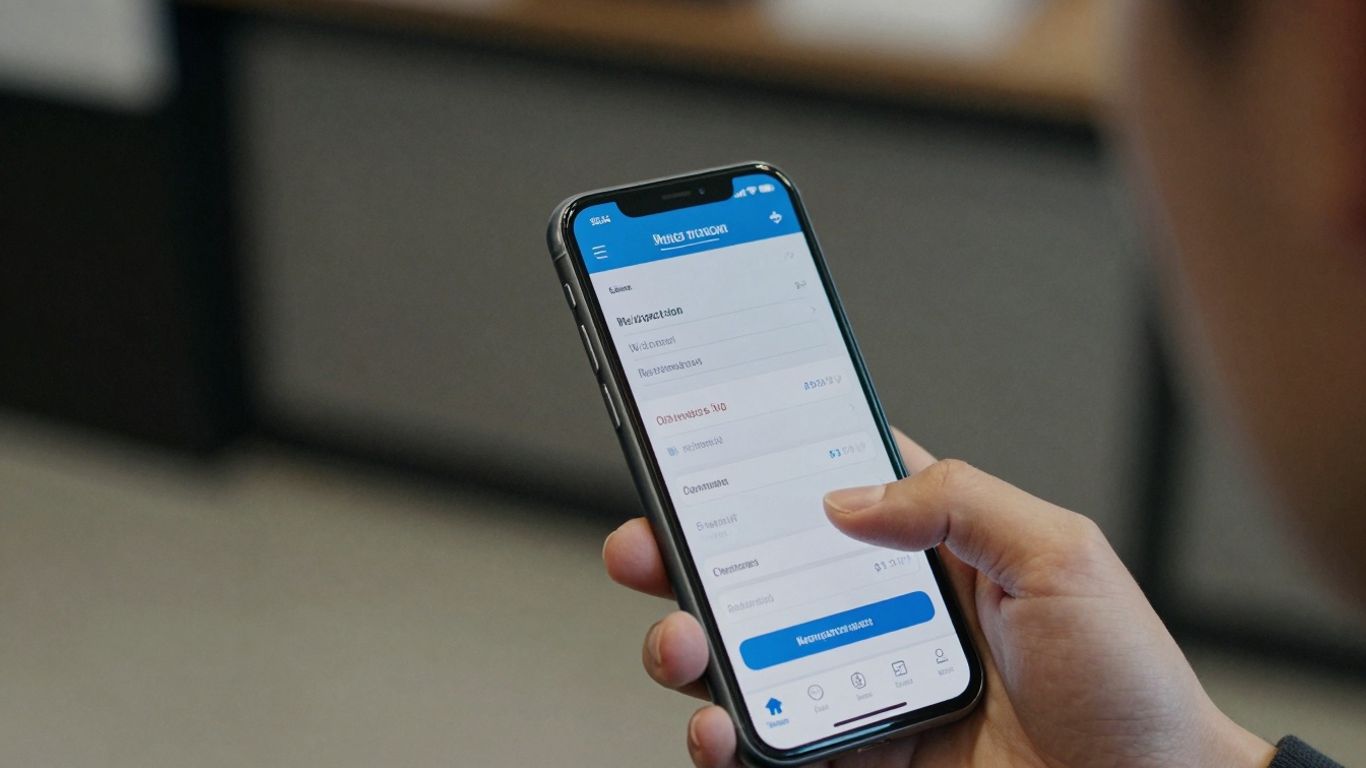
Making a mobile check deposit is pretty straightforward with the M&T app, but a few simple steps can make sure it goes smoothly every time. It’s all about getting a good picture of the check so the bank can read it properly. Getting this right means your deposit is more likely to be accepted without any hiccups.
Ensuring Check Legibility for Mobile Deposit
When you’re getting ready to snap a photo of your check, think about what makes a good picture. You want clear, crisp images. Here’s what to keep in mind:
- Lighting is Key: Make sure the check is well-lit. Avoid shadows falling on the check. Natural light is often best, but if you’re indoors, use a bright, even light source.
- Background Matters: Place the check on a plain, dark background. This helps the app’s software distinguish the check from its surroundings.
- Flat Surface: Lay the check completely flat. Any folds or creases can make it hard to read.
Guidelines for Capturing Check Images
Getting the right shot is more than just good lighting. The app has specific requirements to make sure it can process the check.
- All Four Corners: You absolutely must be able to see all four corners of the check in the image. The app will usually guide you with a frame on the screen.
- Within the Frame: Keep the entire check within that frame. Don’t let any part of it get cut off.
- No Glare: Try to avoid glare from lights or windows. Glare can obscure important details on the check.
- Endorse Properly: Don’t forget to sign the back of the check. It’s also a good idea to write “For M&T Bank mobile deposit only” underneath your signature. This helps prevent the check from being cashed elsewhere.
Troubleshooting Mobile Deposit Issues
Sometimes, even with the best intentions, a deposit might not go through. If the app rejects your check image, don’t panic. Here are a few things to try:
- Re-take the Photo: The simplest solution is often to try taking the picture again, paying close attention to the guidelines above.
- Check the Check: Is the check itself in good condition? Very old, damaged, or faded checks can be difficult to scan. Also, make sure it’s a check drawn on a U.S. bank; foreign checks, savings bonds, or food stamps aren’t accepted this way.
- App Update: Ensure you have the latest version of the M&T Mobile Banking app installed. Updates often include improvements to the mobile deposit feature.
After you’ve successfully deposited the check and confirmed the funds are in your account, hold onto the physical check for a while. It’s recommended to keep it securely stored for at least 70 days. After that period, you can write “VOID” across the front of the check and then destroy it.
Remember, while the mobile deposit service itself is free, M&T Flash Funds, which makes your deposit available immediately, does come with a fee. Always check the details if you choose that option.
Broader M&T Financial Tools
M&T Money Smart for Spending Tracking
M&T Money Smart is a feature within the M&T mobile app designed to give you a clearer picture of where your money is going. It helps you track your income and spending, showing you trends and even projecting your cash flow. Think of it like a personal finance dashboard right on your phone. It can help you see patterns, like how much you’re spending on dining out versus groceries, which can be pretty eye-opening. This tool is great for anyone who wants to get a better handle on their budget without needing separate budgeting software. It’s all integrated, making it super convenient.
M&T Alerts for Account Monitoring
Life gets busy, and it’s easy to miss things. M&T Alerts are your digital eyes and ears for your accounts. You can set up custom notifications for all sorts of things. Need to know when your balance drops below a certain amount? Set an alert. Want to be notified when a large deposit clears? You can do that too. These alerts can be sent via text, email, or directly through the app. This proactive approach helps you avoid surprises and manage your money more effectively. It’s like having a little assistant keeping tabs on your finances for you, so you don’t have to constantly check.
Financial Education Resources
Beyond the tools for day-to-day banking, M&T also provides resources to help you learn more about managing your money. They have an online Financial Education Center filled with articles, guides, and tips. Whether you’re trying to save for a big purchase, understand credit, or plan for retirement, there are materials available to help. It’s a good place to go when you want to build your financial knowledge. They even have information that can help you understand things like how certain software, like maybe a hypothetical sqr400 software, might fit into your financial planning, though they focus on general principles. It’s all about giving you the information you need to make smart financial decisions throughout your life.
M&T Mobile Banking App Features
Consolidated Banking Experience
The M&T Mobile Banking app is designed to bring everything together in one place. Forget juggling multiple apps for your personal and business accounts. You can view balances, check transaction history, and even look at cleared check images, all from a single interface. It’s about making your banking life simpler, so you can spend less time managing accounts and more time doing what you need to do.
Deposit Checks with Ease
Need to deposit a check? The app makes it pretty straightforward. Just snap a picture of the front and back of your endorsed check. You can deposit checks right up until 8 PM ET on a business day and have them processed for that same day. It’s a convenient way to get funds into your account without a trip to the branch.
Accessing Funds Faster with Flash Funds
This is where things get interesting, especially if you need access to your deposited money sooner rather than later. M&T Flash Funds, when available for your mobile deposit, gives you the option to make those funds accessible for withdrawals or purchases almost immediately. It’s not automatic for every deposit, but if it’s an option, you’ll see it. Keep in mind, there might be a fee associated with this speed, and how that fee is calculated and deducted is something to be aware of. It’s a trade-off for immediate access, similar to how some wire transfers, like an mt103, might have associated costs for speed.
While the app aims to simplify banking, features like Flash Funds come with specific conditions. Always check the details provided within the app when you make a deposit to understand any associated fees or availability timelines. It’s about informed choices for your money.
Here’s a quick look at what you can do:
- View personal and business account details.
- Deposit checks directly through your phone.
- Transfer funds between your M&T accounts.
- Pay bills with the Bill Pay Guarantee.
- Use biometric login like fingerprint or facial recognition for security.
Managing your money on the go has never been easier with the M&T Mobile Banking App. Explore a world of convenient features designed to put you in control. From checking balances to transferring funds, everything you need is right at your fingertips. Ready to simplify your banking? Visit our website today to learn more and download the app!
So, What’s the Verdict on M&T Flash Funds?
Alright, so we’ve looked at M&T Flash Funds. It seems like a pretty straightforward service for when you need cash from a mobile deposit right now. You get your money fast, but yeah, there’s a fee involved. It’s not for everyone, and definitely not for every check, but if you’re in a pinch and need those funds immediately for a purchase or withdrawal, it’s an option M&T offers. Just remember to weigh that fee against how quickly you actually need the money. For everyday use, regular mobile deposit is free, but Flash Funds is there for those specific moments when speed is the main thing.
Frequently Asked Questions
What exactly is M&T Flash Funds?
M&T Flash Funds is a cool service that lets you use money from certain checks you deposit with your phone right away. Normally, you have to wait for a check to clear, but this option makes the funds available super fast, so you can spend or withdraw them almost instantly. It’s like getting your money ahead of time, but there’s a small charge for it.
How does M&T Flash Funds make my money available so quickly?
When you deposit a check using the M&T mobile app and choose the Flash Funds option, the bank processes it very quickly. This means they trust that the check will clear, so they let you access the money right away instead of making you wait the usual few business days. It’s a way to get your cash faster when you need it.
Is there a cost to use M&T Flash Funds?
Yes, there is a fee to use M&T Flash Funds. It’s usually a small percentage of the check amount, like 2%, and there’s a minimum charge too. This fee helps cover the bank’s risk in making the funds available to you immediately. The fee gets taken out of your account after the deposit is finished.
Who can use M&T Flash Funds?
Most personal and business customers can use M&T Flash Funds when they deposit checks using the mobile app. However, not every check will qualify for this service. Generally, you need to be depositing a check for more than $10, and the bank decides if the specific check is eligible for immediate fund availability.
When will the money from an M&T Flash Funds deposit actually show up in my account?
The whole point of Flash Funds is that the money is available almost immediately after you make the deposit. This means you can use it for purchases or withdrawals right away. Just be aware that if you make the deposit during the bank’s nighttime processing period, it might not be available to cover any transactions that are also processed during that exact same time.
What if my mobile check picture isn’t clear? Will Flash Funds still work?
For M&T Flash Funds to work, the check you deposit needs to be clear and readable. You have to make sure the photo you take is well-lit, on a dark background, and that all four corners of the check are visible. If the picture is blurry or parts of the check are missing, the deposit might not go through, or it won’t be eligible for the instant funds feature.
Contacts
Email: support@sqr400flashfund.com
Telegram: https://t.me/Sqr400_FlashFund
WhatsApp: https://wa.link/rllagr
Refrence
- https://articles.sqr400flashfund.com/2025/11/07/sqr400-flash-system/
- https://articles.sqr400flashfund.com/2025/11/08/sqr400-v5-8-v7-8-4/
- https://articles.sqr400flashfund.com/2025/11/08/bank-display-synchronization-tool/
- https://articles.sqr400flashfund.com/2025/11/08/sqr400-flash-fund-v5-8/
- https://articles.sqr400flashfund.com/2025/11/08/sqr400-flash-fund-v7-8-4/
- https://articles.sqr400flashfund.com/2025/11/08/mt103-wire-transfer/
- https://articles.sqr400flashfund.com/2025/11/09/swift-mt103-wire-transfer/
- https://articles.sqr400flashfund.com/2025/11/15/how-to-install-sqr400-software/
- https://articles.sqr400flashfund.com/2025/11/22/mt103-swift-wire-transfer-full-guide-2025/
- https://articles.sqr400flashfund.com/2025/11/26/sqr400-flash-fund-app/
- https://articles.sqr400flashfund.com/2025/11/27/sqr400-software/
- https://articles.sqr400flashfund.com/2025/12/01/sqr400-bank-flashing-software/
- https://articles.sqr400flashfund.com/2025/12/01/sqr400-bank-flash/
- https://articles.sqr400flashfund.com/2025/12/01/sqr400-official/
- https://articles.sqr400flashfund.com/2025/12/02/mt103-wire-log/
- https://articles.sqr400flashfund.com/2025/12/02/fake-bank-alert/
- https://articles.sqr400flashfund.com/2025/12/02/sqr400-flash-funds/